







Managing mobile data while travelling used to feel like a full-time job.
In the U.S., I'd spend hours figuring out which local SIM would actually work in rural Texas or New England. A multi-country Europe trip meant juggling multiple SIMs, different top-ups, and confusing price plans.
In my search for a data plan that suits my needs as a traveller, but also offers excellent network quality and affordable price, I found Sim Local.
Suddenly, I could activate a plan for multiple countries in minutes, with predictable pricing and coverage that actually worked.
The real magic, though, was the hotspot feature. On a road trip across Hokkaido, I could keep my friend's phone online for maps while simultaneously using my laptop for research or sharing travel updates. It was freedom I didn't realise I was missing, and it made every journey smoother, less stressful, and far more connected.
If you've ever wanted to travel across continents without worrying about data, top-ups, or losing signal, here's everything I've learned about making Sim Local work for you during your travels.
Why Use Sim Local eSIM For International Travels
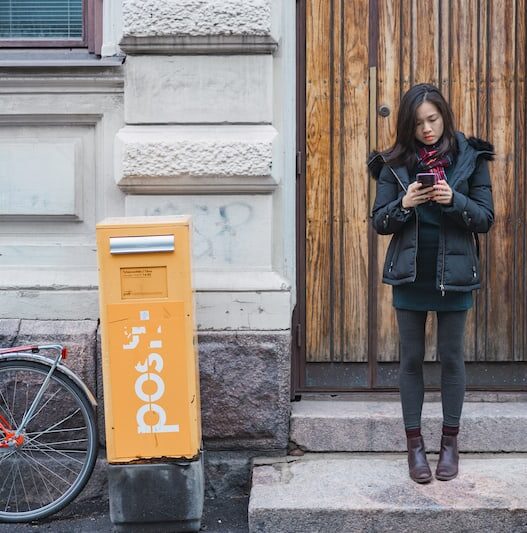
Helsinki, Finland
Travelling internationally often comes with the headache of buying multiple SIM cards, juggling roaming fees, and dealing with spotty coverage in remote areas.
From my own trips across Europe, Asia, and Africa, I've found that Sim Local eSIM takes the stress out of staying connected.
One eSIM can cover multiple countries, and with plans for data, calls, and SMS, you don't have to worry about constantly swapping SIM cards or paying excessive roaming charges.
Unlike other eSIMs, Sim Local offers local data plans, meaning you can find options just as if you lived there, connecting you to the best networks at a price hard to find elsewhere.
The added bonus? Hotspot functionality and SwitchLess technology make it easy to share data and automatically connect to the fastest available network wherever you are.
Check out Sim Local here
Top Features of Sim Local eSIM
When it comes to travelling internationally, the features of Sim Local eSIM make it a true lifesaver for anyone like me who hates the hassle of swapping SIM cards or worrying about roaming fees.
International Number For Calls & SMS
One of the first things I noticed when using it on my trips to Europe and Oceania was that it provides a French number for international calls and SMS. This is especially convenient if you're in a country where getting a local number is tricky, or you need to make quick international calls.
I remember calling my accommodation in New Zealand from my eSIM without needing to top up local credit, and it was seamless.
Hotspot & Tethering
Working from Timber Cove Resort, California, USA
The eSIM also supports hotspot and tethering, which was a game-changer during road trips in Italy and when exploring remote islands in New Zealand. I could connect my laptop for work or let friends use my data when theirs ran out.
Reliable Data Speeds
Data speeds range from 3G to 4G/LTE, generally reliable in most towns and cities, though I did notice slower speeds when hiking in the Alps or in remote parts of Fiji.
Seamless Network Switching
Another feature I absolutely love is SwitchLess technology, which automatically connects your device to the fastest available network as you cross borders. On my trip hopping between islands in Oceania, this feature ensured I stayed online even when moving between networks, without me needing to manually switch anything.
Get 10% OFF with code: BELAROUND
Get your Sim Local eSIM here
Pros Of Sim Local eSIM
Truly Unlimited Data
Sim Local unlimited plans
When providers talk about “unlimited data,” the reality often comes down to how much full-speed data you actually get before the connection slows down. Many services throttle speeds aggressively after very low usage — sometimes as little as 2 GB or 3 GB of fast data in a day — leaving you with sluggish browsing or buffering when you least want it.
By contrast, Sim Local's unlimited eSIM plans are structured to give you up to 10 GB of high-speed data per day before any slowdowns kick in. This doesn't mean the connection disappears — it just means that after you use that daily high-speed quota, your speed might be reduced for the rest of the 24-hour period (fair usage policies apply to keep the network stable for everyone).
Flexible Plans
One of the things I really appreciate about Sim Local's eSIM is how adaptable it is for different travel styles.
Whether you're heading on a quick city break, a multi-country tour, or an extended stay abroad, there are plans that match your needs. You'll find options ranging from short 7-day plans up to longer 30-, 60- or even 90-day plans, and you can choose just the amount of data you think you'll need.
Some travellers prefer smaller data buckets if they mostly use Wi-Fi at hotels and cafés, while others choose larger allowances if they're planning lots of navigation, photos and maps on the go – and Sim Local gives you that choice.
Convenient Payment Options
Sim Local accepts Visa, Mastercard, Amex, and Discover, which made purchasing or topping up quick and hassle-free.
Global Coverage Without The Hassle
One of the standout benefits is the global coverage.
Instead of buying a new SIM card in every country you visit, many of Sim Local's plans offer coverage in 200+ destinations worldwide – from Europe and Asia to the Americas and Oceania.
For example, if you set off on a backpacking loop that takes you from the vineyards of France to the beaches of Thailand, you can stay online with a single plan rather than juggling multiple physical SIMs.
Centralised Management Through The App
The Sim Local app makes managing your eSIM a breeze. You can check remaining data, track usage, top up, and even contact support, all from your phone.
I remember a time in Southeast Asia when I misconfigured my eSIM, and 24/7 customer support sorted it out in minutes. It really removed the stress that can come with travelling in unfamiliar countries.
Hassle-Free Registration And Refunds
Setting up an eSIM is simple: no ID or proof of address is required.
This made getting online fast and stress-free. On one trip, I had to adjust my plan mid-journey, and the refund process was smooth and efficient, giving me confidence that I could rely on Sim Local during travel.
Affordable Pricing And Additional Features
Sim Local offers some of the most competitive pricing on the market. For instance, a 25 GB global plan at USD 35 is a fantastic deal. Hotspot and tethering are allowed, calls and SMS are included on eligible plans, and the eSIM works with top networks like Orange and Three UK.
I personally used the hotspot feature on a road trip in New Zealand to keep my laptop and phone connected while sharing maps and travel updates with friends.
Get 10% OFF with code: BELAROUND
Get your Sim Local eSIM here
Cons Of Sim Local eSIM
Device Compatibility
Not all phones support eSIM. Older smartphones may not allow activation, which I experienced on a short trip when I had to borrow a newer device. It's something to check before travelling, especially if you're relying on your own phone.
Coverage in Remote Areas
While coverage is excellent in cities and towns, rural or remote regions can have slower speeds or occasional dropouts.
During a hike in the Andes or while visiting isolated islands in Oceania, I noticed that data speeds dropped, which meant I had to plan offline maps or download resources ahead of time.
Understanding Data Across Roaming Zones
One thing worth understanding before using Sim Local is how roaming zones work, especially if you're travelling through multiple countries.
Sim Local groups countries into different zones based on network costs set by local carriers. Countries in lower-cost zones use less data from your allowance, while higher-cost zones consume data faster.
During a multi-country trip across South America, I noticed that when I crossed into a higher-cost roaming zone (often referred to as Zone 4), my data balance dropped more quickly, even though my usage habits hadn't changed. This isn't a technical issue with the eSIM itself; it's because mobile operators charge more to provide data in certain countries, and that higher cost is reflected in how Sim Local allocates your shared data.
In practical terms, this means that 1 gigabyte can go much further in countries with lower roaming costs, but it won't stretch as far once you enter a higher-cost zone.
If your itinerary includes multiple countries across different zones, it's important to check which zone each country falls into and plan your data usage accordingly.
Sim Local eSIM Global Plans
Sim Local global plans
Sim Local offers data-only plans and data with calls and SMS plans, giving you the flexibility to choose what suits you best.
The key thing to understand is zones, which determine how much data you can access in each country. Higher zone countries allow full data, while lower-zone countries have reduced data allocations due to roaming costs.
| Roaming Zone | Destinations |
|---|---|
| Zone 1 | United States, Canada, United Kingdom, France, Germany, Spain, Italy, Portugal, Netherlands, Belgium, Ireland, Switzerland, Austria, Denmark, Sweden, Norway, Finland, Poland, Czech Republic, Hungary, Greece, Turkey, Japan, South Korea, Singapore, Taiwan, Thailand, Vietnam, Philippines, New Zealand, Peru, Uruguay, Puerto Rico, Serbia, Montenegro, El Salvador, Nicaragua, Senegal |
| Zone 2 | Egypt, Kenya, Mauritius, Sri Lanka, Nepal, Bahrain, Kuwait, Oman, Qatar, Dominican Republic, Paraguay, New Caledonia |
| Zone 3 | Fiji, French Polynesia, Papua New Guinea, Vanuatu, Tonga, Mongolia, Azerbaijan, Brunei, Panama, Mauritania, Lesotho, Palestine, Iraq |
| Zone 4 | Very limited / high-cost destinations that significantly reduce usable data allowance (varies by plan and operator partnership) |
Data-only plans:
- 1 GB for 3 days – USD 6.75 (USD 6.75/GB)
- 12 GB for 30 days – USD 20 (USD 1.67/GB)
- 18 GB for 30 days – USD 26.75 (USD 1.49/GB)
- 30 GB for 30 days – USD 47 (USD 1.57/GB)
Data + Calls/SMS plan:
- 20 GB for 31 days – USD 35 (USD 1.75/GB)
These plans are perfect for travellers like me who move between continents. I remember hopping from Spain to Turkey, then to South Africa, all on one plan. It was seamless, no need to switch SIMs, and I could continue sharing my location and travel photos with friends and family without interruption.
Is My Smartphone eSIM Compatible?
Most modern smartphones, including iPhones from XS onwards and Android models like Samsung S20 and later, support eSIM.
From my own experience, activation is straightforward, but I recommend checking your phone's specifications before purchase. If your device supports dual SIM, you can even keep your regular SIM active while using your travel eSIM.
Check your compatibility here
How Much Data Do You Need?
The amount of data depends on your travel habits. For me, I generally need about 1–2 GB per week for messaging, maps, and light social media. If you stream videos or work remotely, 10–20 GB per month is more realistic.
The key is tracking your usage across countries, especially if your plan shares data across zones, I often found myself monitoring the app to avoid accidentally using too much in a lower-zone country.
Sim Local eSIM Setup
Step 1: Purchase Your Plan
Start by visiting the Sim Local website or app to browse available plans. Think about your travel destinations, how long you'll be staying, and your data needs. For example, if you're planning a multi-country trip across Oceania, the 20 GB plan for 31 days worked perfectly for me.
Once you select your plan, complete the purchase using your preferred payment method, Visa, Mastercard, Amex, or Discover. Immediately after payment, you'll receive an activation QR code via email or within the app.
Step 2: Prepare Your Phone
Before scanning the QR code, make sure your smartphone is ready:
Check that your device is eSIM compatible, most iOS (iPhone XS and later) and Android (Samsung S20/S21 series and newer, Google Pixel 3 and later) devices support eSIM.
Ensure your phone is connected to Wi-Fi or has an active data connection, which is necessary to download the eSIM profile.
Back up any important data, just in case you need to reset network settings during installation.
Step 3: Scan And Activate Your eSIM
Once your phone is ready, open the settings and navigate to the eSIM section:
- iOS: Go to Settings > Cellular > Add Cellular Plan. Use your phone's camera to scan the QR code provided by Sim Local. You'll see a confirmation that the plan has been added.
- Android: Go to Settings > Connections > SIM Card Manager > Add Mobile Plan (or similar, depending on your device). Scan the QR code, and the plan should appear in your network list.
From my personal experience, scanning the QR code took less than a minute. The phone instantly recognised the plan, and I could rename it for easier management, I labelled mine “Europe Trip” to avoid confusion with my home SIM.
Step 4: Configure Settings
After activation, you may want to fine-tune a few settings:
- Set as Primary Data SIM: If you're travelling with a dual SIM phone, make sure the eSIM is selected as the primary data line. This ensures apps and navigation use the eSIM automatically.
- Enable Data Roaming: Some phones require you to manually allow data roaming for eSIM plans. This is crucial for multi-country plans, especially when crossing borders.
- Check Network Preferences: If your phone has a “SwitchLess” or “Automatic Network Selection” option, enable it. This ensures your phone automatically connects to the fastest available network, something I found incredibly useful when moving between islands in Oceania.
Step 5: Test Your Connection
Before leaving home or your hotel, while you're still connected to WiFi, make a quick test:
- Open your browser and visit any website to check data connectivity.
- Send a test message or make a short international call using your French number if your plan includes calls/SMS.
- Try tethering to another device, like a laptop or tablet, to confirm hotspot functionality.
During my trips, testing in advance saved me a lot of headaches.
On one occasion in Italy, my eSIM was ready to go immediately upon arrival, letting me use maps, call my Airbnb host, and stay in touch with friends without hunting for a local SIM.
Step 6: Manage Your eSIM On The Go
Once installed, you can manage everything via the Sim Local app:
- Track your remaining data and usage.
- Top up if needed.
- Contact 24/7 support for any network or plan issues.
I especially appreciated the centralised app during long trips. When I ran low on data in New Zealand, topping up was just a few taps, and the app even reminded me of remaining data so I could budget for the rest of my journey.
Is Sim Local Worth It?
After years of testing dozens of eSIMs across Europe, North America, Oceania, Africa, and beyond, I can say yes, Sim Local is absolutely worth considering for most travellers, but with a few nuances worth knowing before you buy.
What really sets Sim Local apart is how it bridges the gap between traditional local SIM cards and today's digital travel needs. Gone are the days when I'd land in a new country, queue at a kiosk, wrestle with foreign payment systems, and spend half a day just getting connected.
With Sim Local, I activate my eSIM before I board the plane, and by the time I've collected my bags, my phone is already online. That convenience alone has changed how I travel.
Get 10% OFF with code: BELAROUND
Get your Sim Local eSIM here
What I Loved About Sim Local
Real global versatility
Whether I was navigating the streets of Paris, driving Route 66 in the USA, or island‑hopping in the Caribbean, one Sim Local plan kept me connected.
The fact that many plans include calls, SMS, and a French international number, in addition to data, is rare among eSIM providers and adds real utility when you need to call local services or answer a verification text.
Flexible plans for different trip lengths
You can pick small plans for short holidays or larger ones for extended adventures. I've used 12–20 GB plans for shorter Europe trips and larger global plans for multi‑continent travel, and the flexibility saved me money and stress along the way.
App and support
The intuitive app makes it easy to track your data and manage top‑ups. And when I needed help in Southeast Asia, the 24/7 support was genuinely helpful and quick to resolve my issue. The best part is that real people answer you.
Competitive pricing
Plans like 25 GB for around USD 35 are excellent value when compared to local SIM cards or roaming plans from big carriers, especially if you're travelling across several countries.
Local plans
Sim Local local plans
Find plans directly with each country's network in popular destinations like Japan, Thailand, Vietnam, the UK, and others, an option you won't find anywhere else.
In-person service
Sim Local is one of the only major eSIM providers with airport stores, giving you more ways to stay connected as soon as you land. Find available stores here.
Get 10% OFF with code: BELAROUND
Get your Sim Local eSIM here
If you travel internationally even a few times a year, or if you're planning a multi‑country itinerary, Sim Local is absolutely worth it. It's reliable, flexible, and much easier than dealing with local SIM cards or expensive roaming.
For travellers who value seamless connectivity, easy setup, and reasonable pricing, Sim Local is one of the most practical eSIM options out there in 2026.